> For the complete documentation index, see [llms.txt](https://guides.originmu.com/llms.txt). Markdown versions of documentation pages are available by appending `.md` to page URLs; this page is available as [Markdown](https://guides.originmu.com/how-to-start/how-to-configure-muhelper.md).
# How to configure MUHELPER
#### Controls:
{% hint style="info" %}
* Start/Stop: ⌨️ \[HOME] or 🖱️ Middle Click
* Settings Menu: `Z`
{% endhint %}
#### Tabs Overview:
{% hint style="info" %}
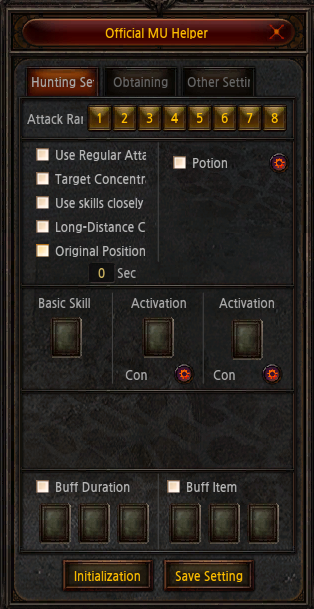
* Hunting Tab: Combat settings
* Obtaining Tab: Loot settings
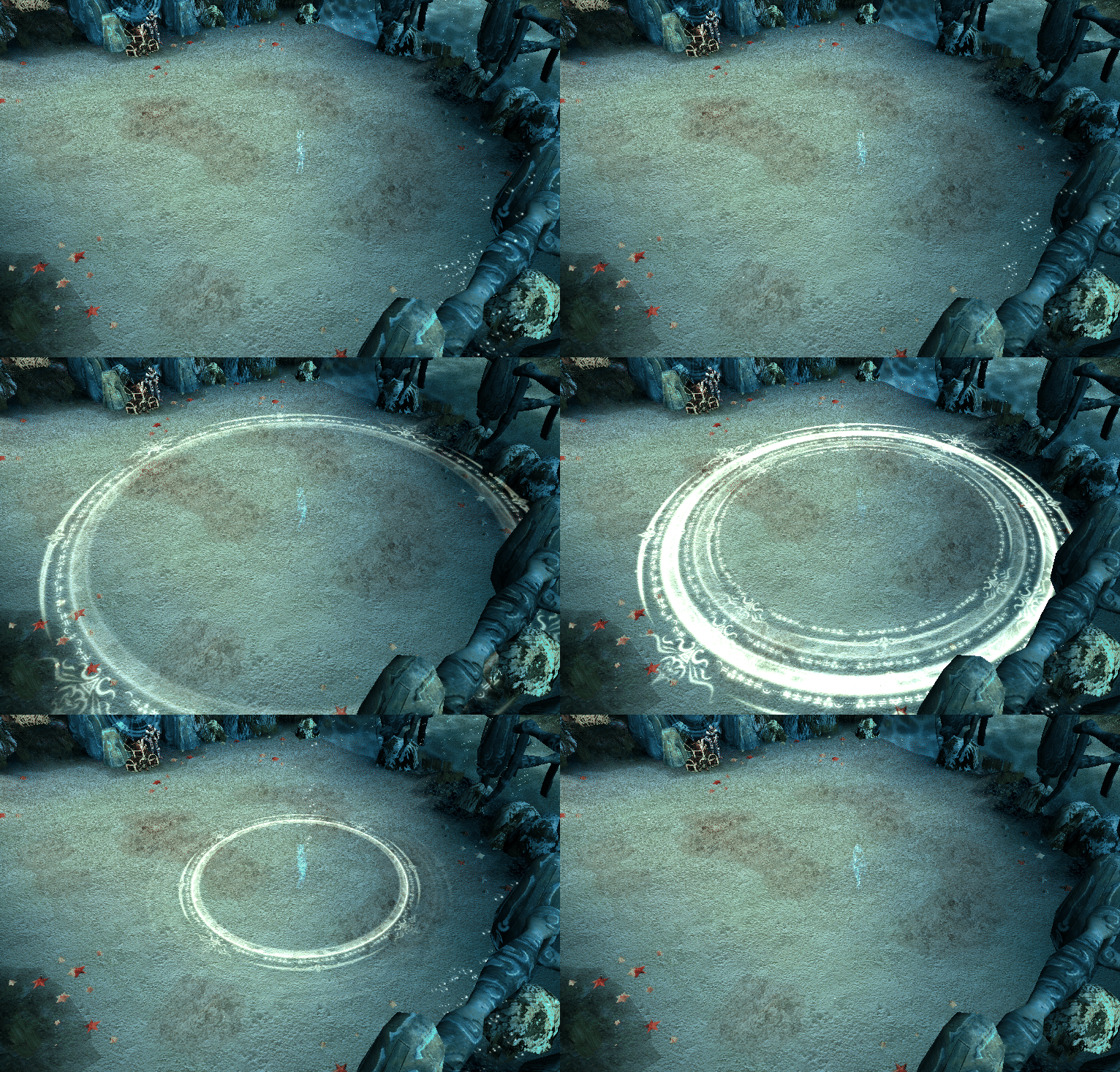
When activated, a visible circle appears showing the auto-attack range.\
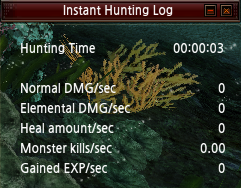
The Instant Hunt Log is also displayed, offering real-time combat data.\
Settings vary slightly by class.\
{% endhint %}
#### Zen Cost:
{% hint style="info" %}
* MU Helper consumes Zen every 5 minutes.
* The Zen cost increases hourly:
* 1st hour: Character Level × 20
* 2nd hour: Character Level × 30
* 3rd hour: Character Level × 40
* 4th hour: Character Level × 50
* After 4 hours: Character Level × 60
* Stopping the MU Helper resets the cost back to the first-hour rate.
{% endhint %}
#### Hunting Log
{% hint style="info" %}
* Access with **\[END]** key
* Tracks up to 60 days of combat data per map
* Can display stats as a table or graph
* Stats: hunting time, normal/elemental damage dealt, HP recovered, monster kills, EXP gained
* Choose cumulative or per second data
* History can be shared publicly or accessed via **ALT + Right Click.**\
\
\
\
Instant Hunting Log (overlay):\
Shows per second data for the current session\
Movable and hideable\
Includes: hunting time, damage (normal/elemental), HP recovery, kills, EXP gain\
{% endhint %}
#### Hunting Settings:
{% hint style="info" %}
* Range: Distance to chase monsters
* Use Regular Attack: Enables basic attacks when skills aren't available
* Target Concentration: Prioritizes dense monster groups
* Use Skills Closely: Prioritizes skill use
* Long Distance Counter Attacks: Counters ranged attackers outside normal range
* Potion: Auto-use HP potions
* Buff Skill / Buff Item: Enables selected buffs\
{% endhint %}
#### Obtaining Settings
{% hint style="info" %}
* Range: Distance to collect items
* Repair Item: Auto-repairs gear below 50% durability
* Repair Muun: Repairs Muun below (5/255) HP using 1 Jewel of Life
* Pick All Near Items: Picks up everything
* Pick Selected Items: Picks up only items on checklist\
Add Extra Item: Add keywords (case-sensitive) to customize item pickup\
Click "Add" to include, click entry + "Delete" to remove
* "Option": picks items with Jewel of Life Option
* "+5": picks items with Level +5
* "Silver Medal": won't match "Medal" (must use 'Silver')
* "Ability Decision": won't match "Decision" (must use 'Ability')
Always use the first name exactly as the item when it is on the ground.
{% endhint %}
.gif?alt=media&token=ff978f31-291f-4898-8876-52f2fe3c0e9b)