> For the complete documentation index, see [llms.txt](https://guides.originmu.com/llms.txt). Markdown versions of documentation pages are available by appending `.md` to page URLs; this page is available as [Markdown](https://guides.originmu.com/game-system/hunt-point-system/buff-information.md).
# Buff Information
## Quest Buff System – Item Quest Info
{% hint style="info" %}
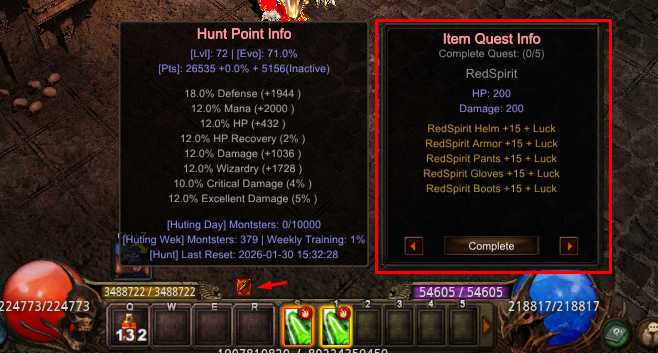
To access the **Quest Buff System**, click the **Hunt Point icon** to expand the Hunt Point interface.\
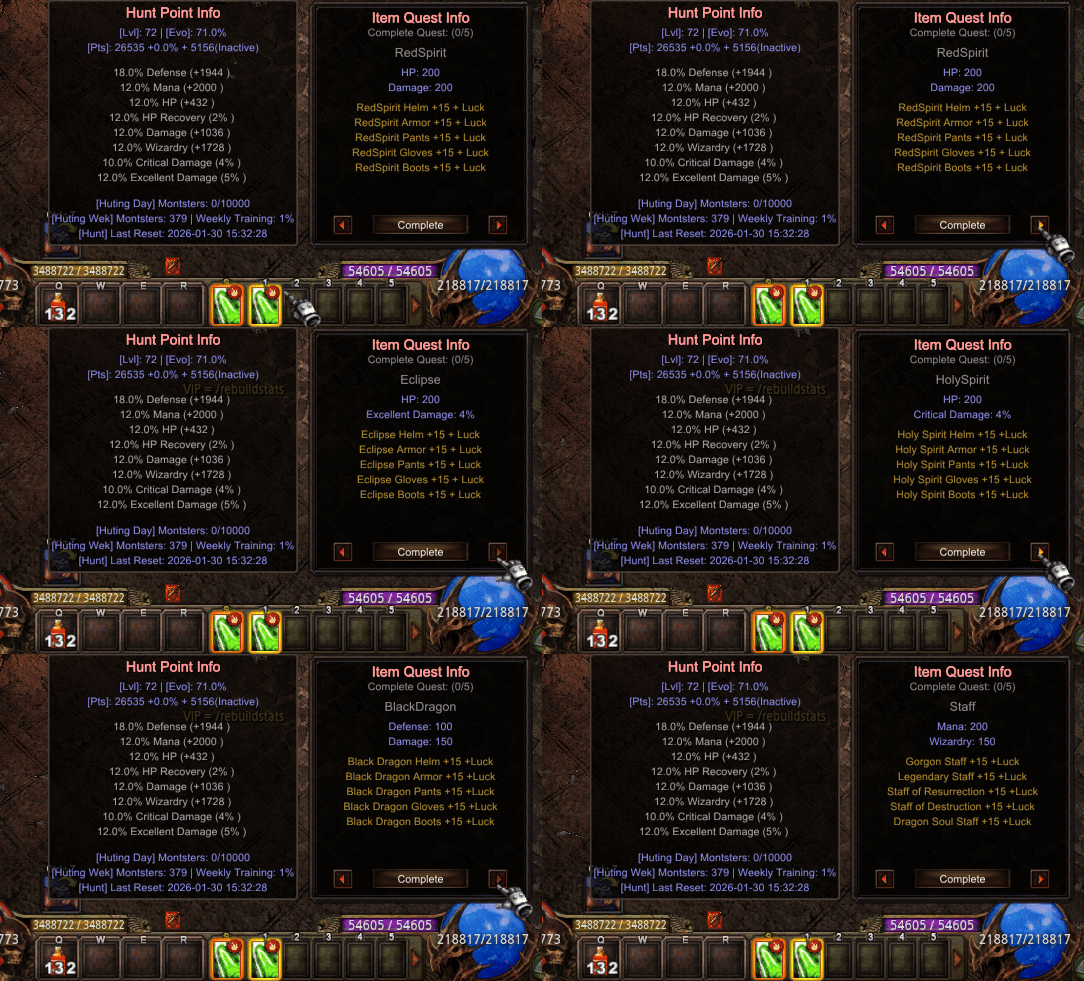
Within this system, you will find the **Item Quest Info**, which provides **additional bonus buffs** in exchange for specific items.
This system allows players to **trade equipment for powerful buffs**, offering multiple combinations to customize your character’s performance.
***
#### 🔹 **How It Works**
* You can activate **up to 5 buffs at the same time**
* Each buff requires **specific equipment items**
* Different item combinations grant **different bonus effects**
{% endhint %}
{% hint style="info" %}
#### 🔹 **How to Activate a Buff**
1. Keep the required item(s) in your **main inventory**
2. Open the **Item Quest Info** window
3. Click **Complete**
4. The required items will be **consumed**
5. The buff will be **activated immediately**
***
#### ⚠️ **Important Notes:**
* Buffs can be **canceled at any time** to free up a slot for a new one
* **Consumed items will NOT be refunded** if a buff is canceled
* Choose your buffs carefully to maximize efficiency and avoid waste
This system adds an extra layer of **strategy and customization**, rewarding players who plan their item usage wisely.
{% endhint %}